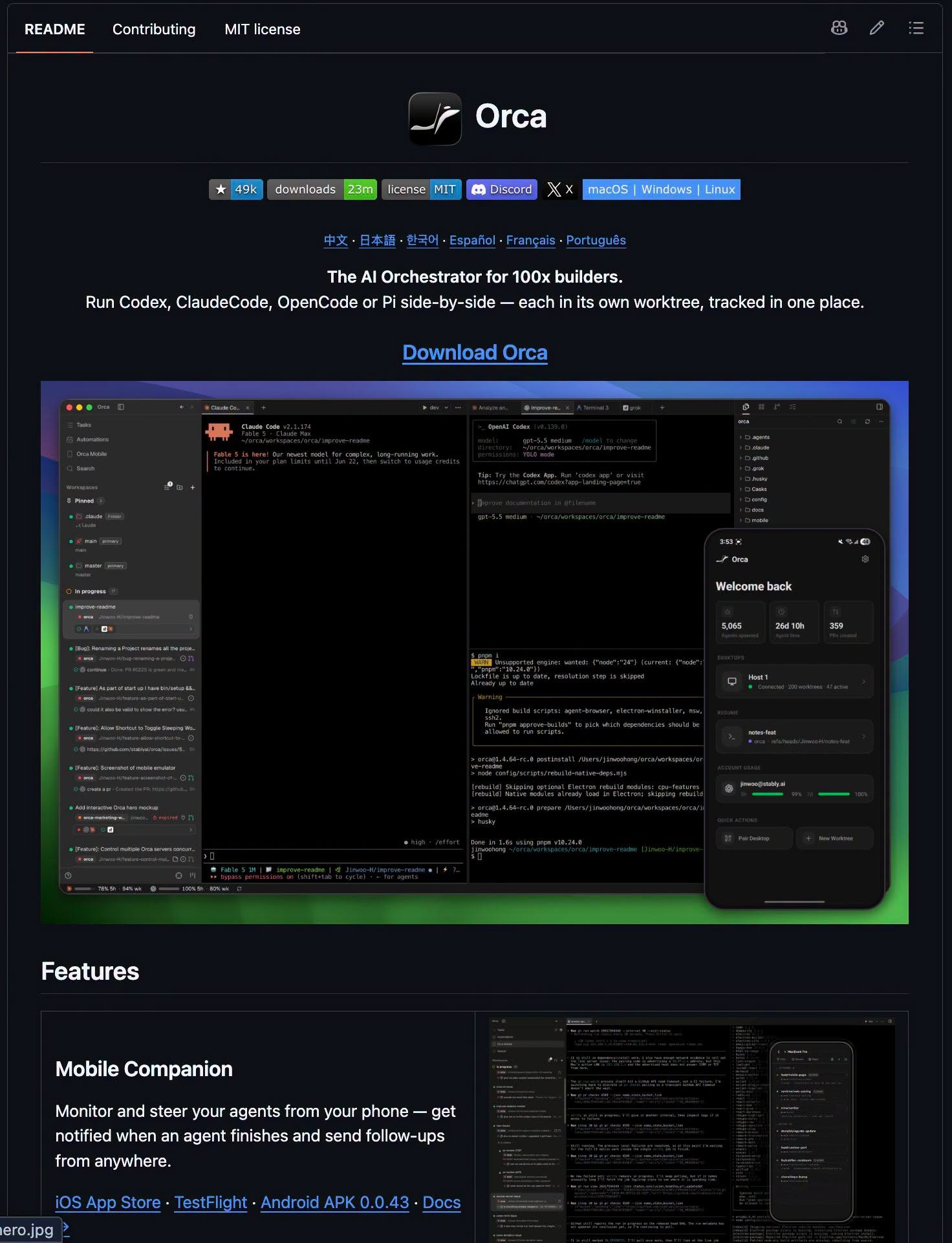
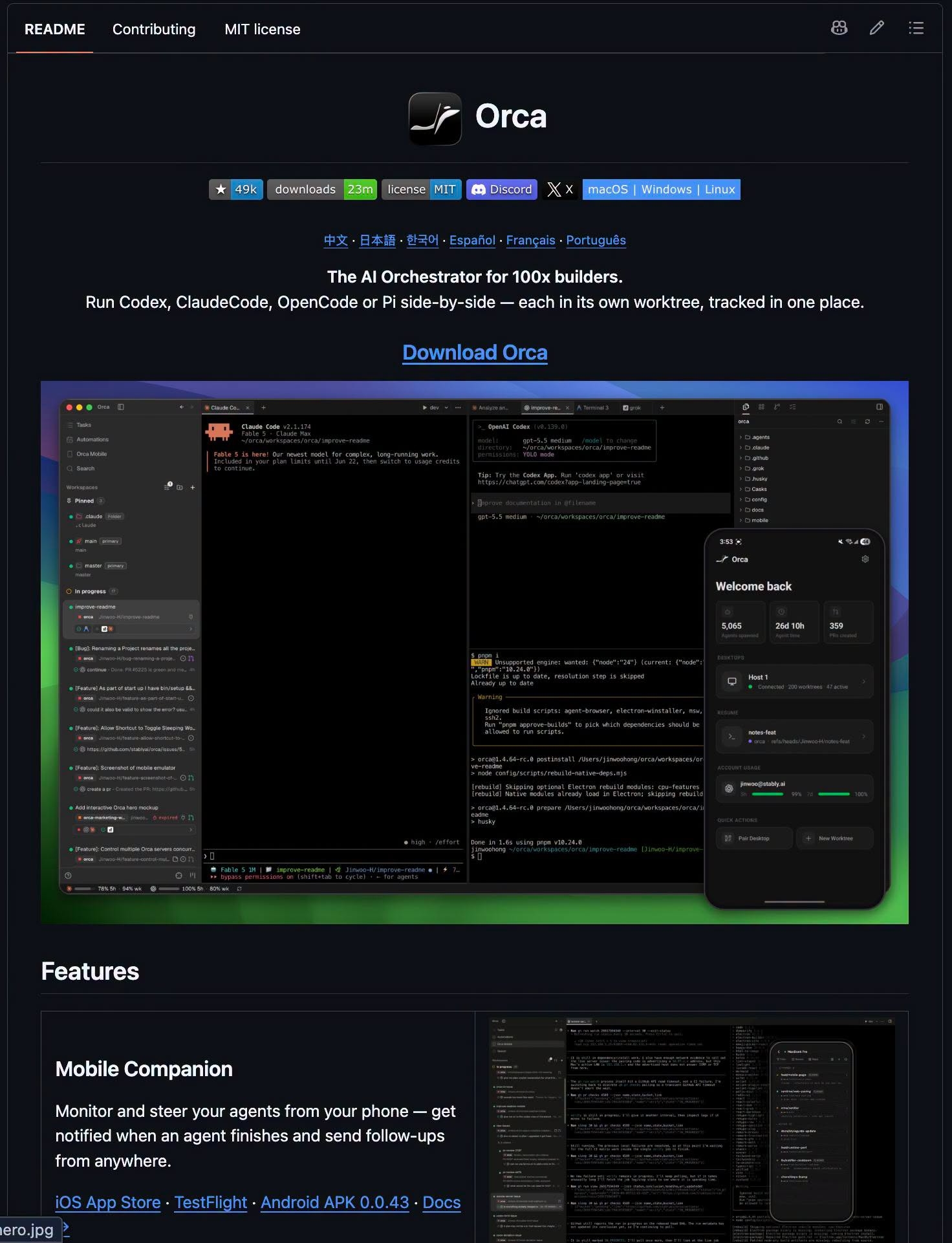
Have you ever wished you could assign the same task to multiple AI agents, then simply pick the best outcome? This common challenge in AI-driven development is precisely what Orca, an open-source repository with over 49,000 stars, aims to solve. Described as "The AI Orchestrator," Orca is a desktop application designed to run multiple AI agent code concurrently, providing a centralized platform to manage your existing agents. It's crucial to understand that Orca is not a new AI itself; rather, it's the control center for the agents you already use. It handles the orchestration, ensuring you can run many agents at once without confusion.
The AI Orchestrator: Key Features of Orca
Orca brings several noteworthy features to the table for developers and engineers looking to streamline their AI agent workflows.
Parallel Execution and Conflict-Free Collaboration
One of Orca's standout capabilities is its ability to run agents in parallel, each operating within its own isolated environment. Each agent works within a separate Git worktree—a distinct working directory for the same project. This setup means you can send a single request to multiple agents simultaneously, and they won't interfere with each other's progress. Once they're done, you can easily compare their results and merge the winning version back into your project.
Broad Agent Compatibility
Orca boasts impressive compatibility. According to its creators, any agent that can run in a command-line window can be integrated into Orca. The list of supported agents is extensive, including popular names like Claude Code, Codex, Cursor, GitHub Copilot, OpenCode, Grok, Devin, Goose, and many more. This flexibility ensures that developers aren't locked into a specific ecosystem.
Mobile Monitoring and Interaction
Staying connected to your agents is made easy with Orca's companion apps for iOS and Android. When an agent completes its task, you receive a notification, allowing you to review its work and send further instructions from anywhere.
Intuitive UI Interaction with Design Mode
Orca introduces a powerful "Design Mode" that revolutionizes how agents interact with user interfaces. Instead of laboriously describing UI elements in text prompts, you can simply click on the desired element within a real Chromium browser window. Orca then directly sends the HTML, CSS, and a screenshot of that specific area into the agent's prompt. This eliminates the need to describe 'the blue button in the top right corner,' significantly speeding up and improving the accuracy of UI-related tasks.
Advanced Developer Workflows
Beyond its core orchestration capabilities, Orca integrates deeply into developer workflows. It supports running agents on remote servers via SSH, allowing for distributed operations. Within the app, you can directly view pull requests and task boards from platforms like GitHub and Linear. Furthermore, developers can add notes directly onto individual lines of code changes and push these annotations back to the agent for corrections, fostering a highly iterative and efficient development cycle. Orca is available across major operating systems, running on macOS, Windows, and Linux.
References
These external sources were used to verify the article and provide deeper context.
Source Images
Conclusion
Orca is a powerful tool for anyone working with AI agents, providing a robust platform to manage, run, and evaluate multiple agents concurrently. By acting as the Orca AI Orchestrator, it enhances productivity and collaboration without replacing your existing AI tools. It simplifies complex workflows, from parallel execution to intuitive UI interaction and remote management, making it an invaluable asset for modern software development.
References:
- @@N8NLINK0@@