
Create videos with AI,
from a description or
your own footage, 24/7.
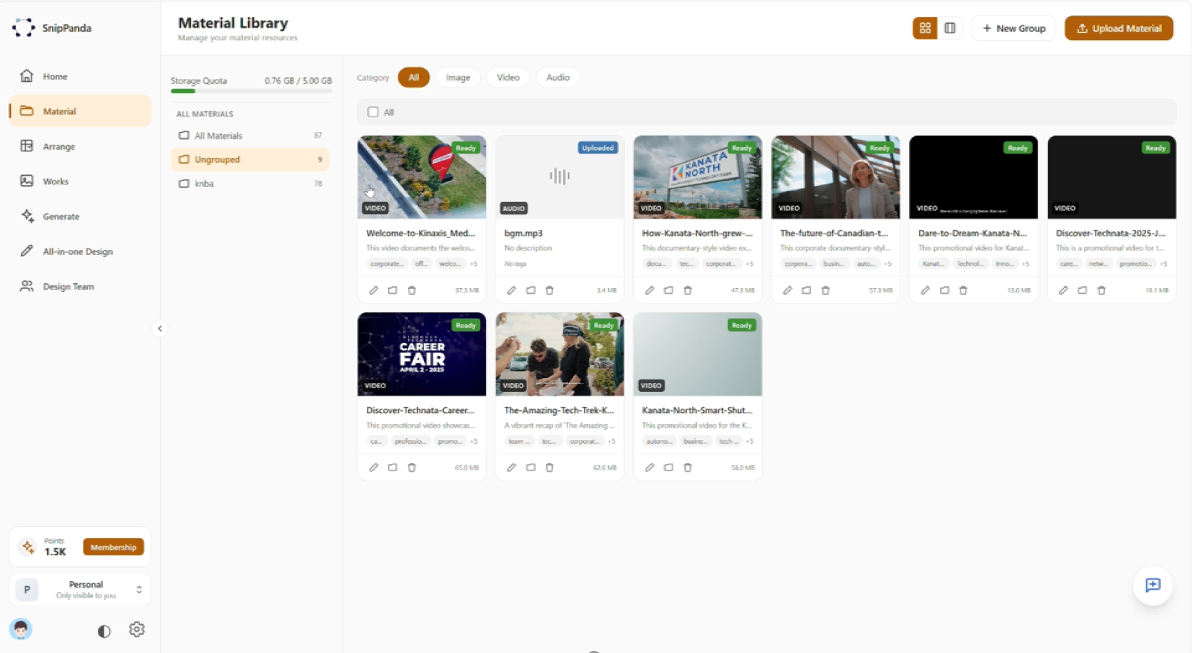
Upload your materials
Add your raw footage once. AI organizes it for you.
Describe or write a script
Describe the video you want, or drop in a script. No timeline editing.
AI creates the videos
AI edits, adds voiceover and subtitles for you.
MATERIALS IN, VIDEOS OUT
Bring your own materials. SnipPanda handles the rest.
Raw footage
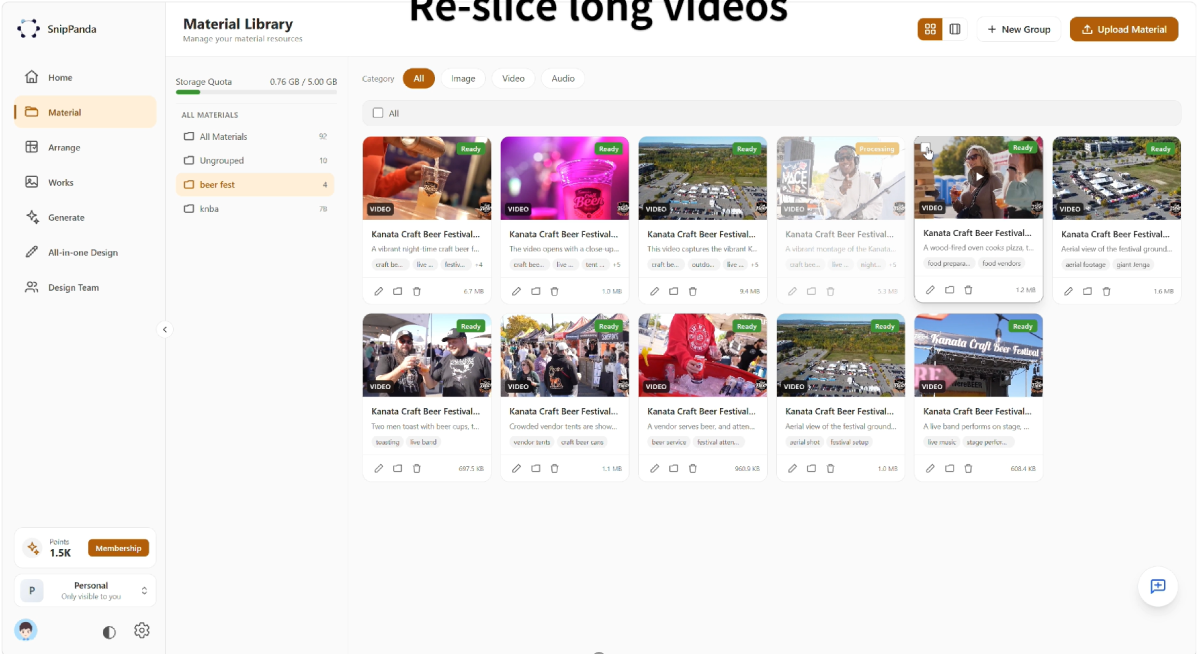
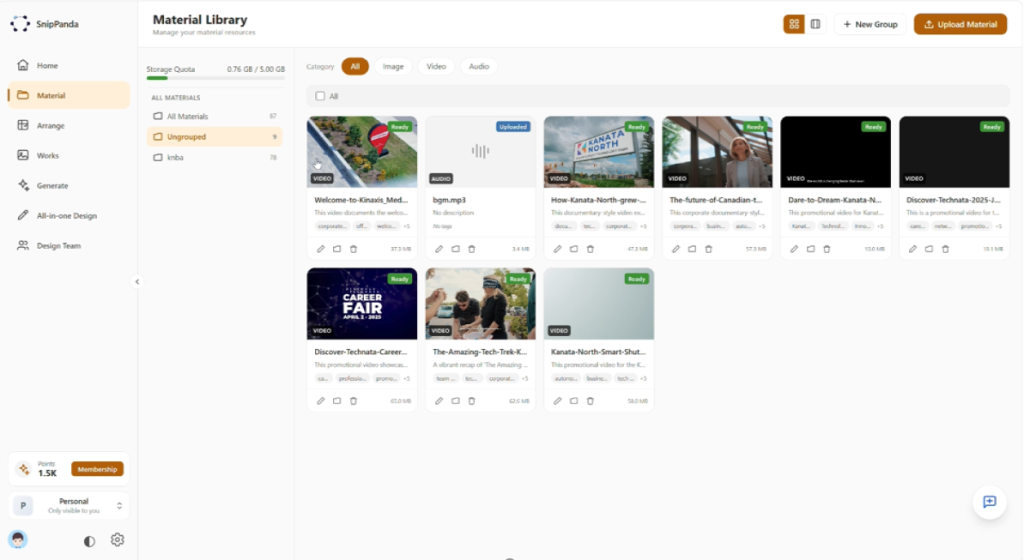
Upload your own video footage. AI describes each clip and slices long videos into scenes.
Images
Add product photos, posters and other images to your material library.
Music and audio
Keep background music and audio in the same library.
AI voiceover
Narration is generated automatically and aligned to the timeline.
Subtitles
Captions are generated automatically and synced with the voice.
Descriptions and scripts
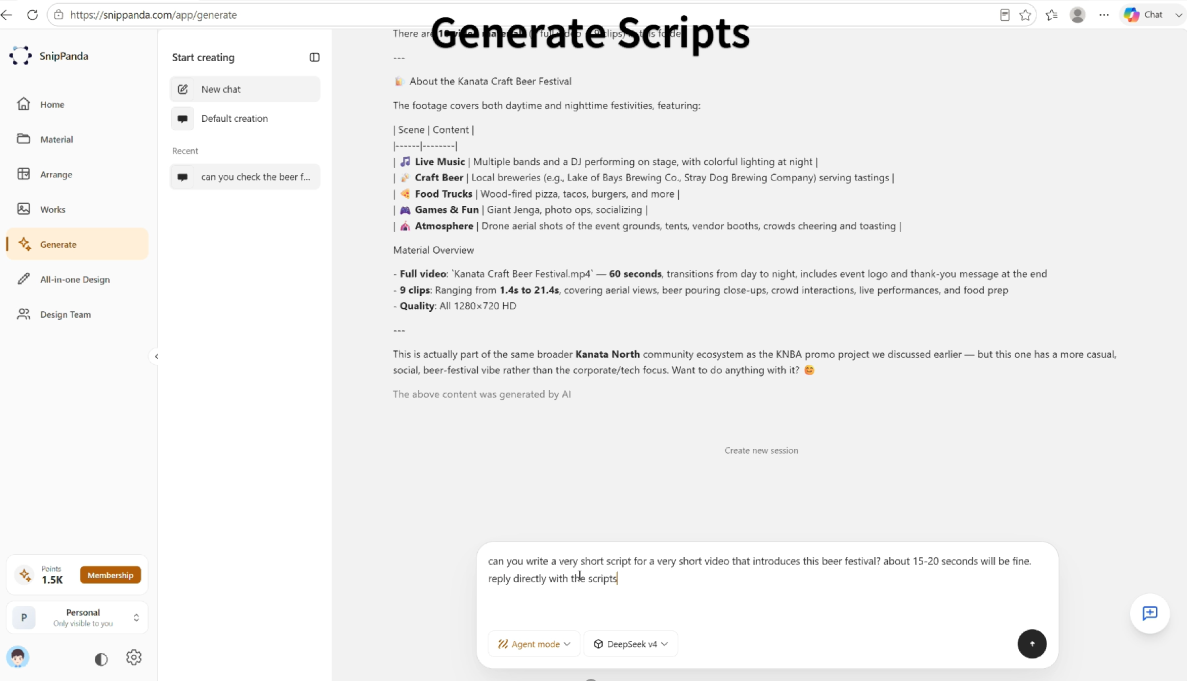
Describe the video you want, or paste a long script. AI splits scripts into short segments automatically.
A simple picture: a video editing team that never sleeps
SnipPanda is an AI video creation workstation. You can describe the video you want and let AI create it, or turn your own footage and scripts into finished videos automatically.
Making one video by hand usually means sorting through footage, cutting clips on a timeline, recording a voiceover and adding subtitles. Multiply that by dozens of videos and it becomes a full-time job.
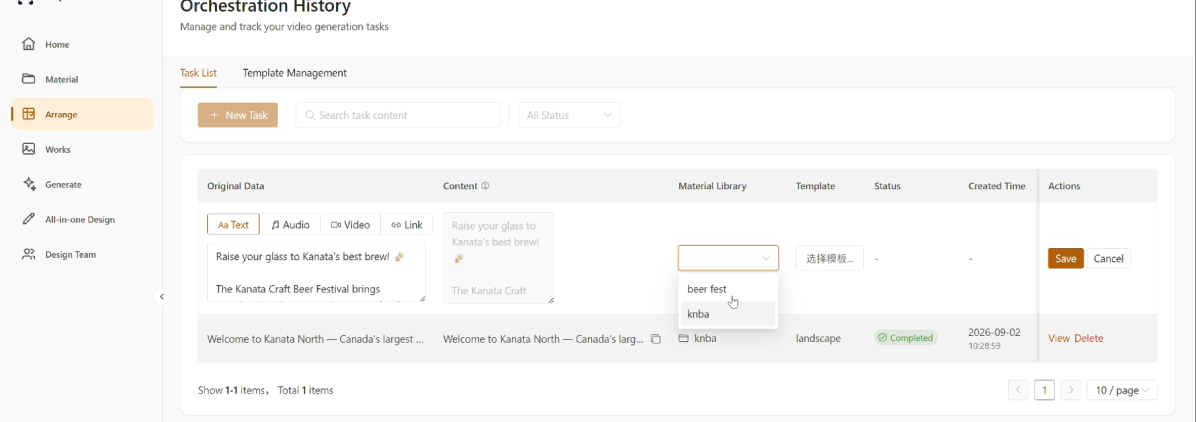
SnipPanda does that work for you. You upload your own footage once and submit scripts. The AI reads each script, finds the best matching clips in your library and assembles the video with voiceover and subtitles.
Whether you need one video or a thousand, the workflow stays the same.
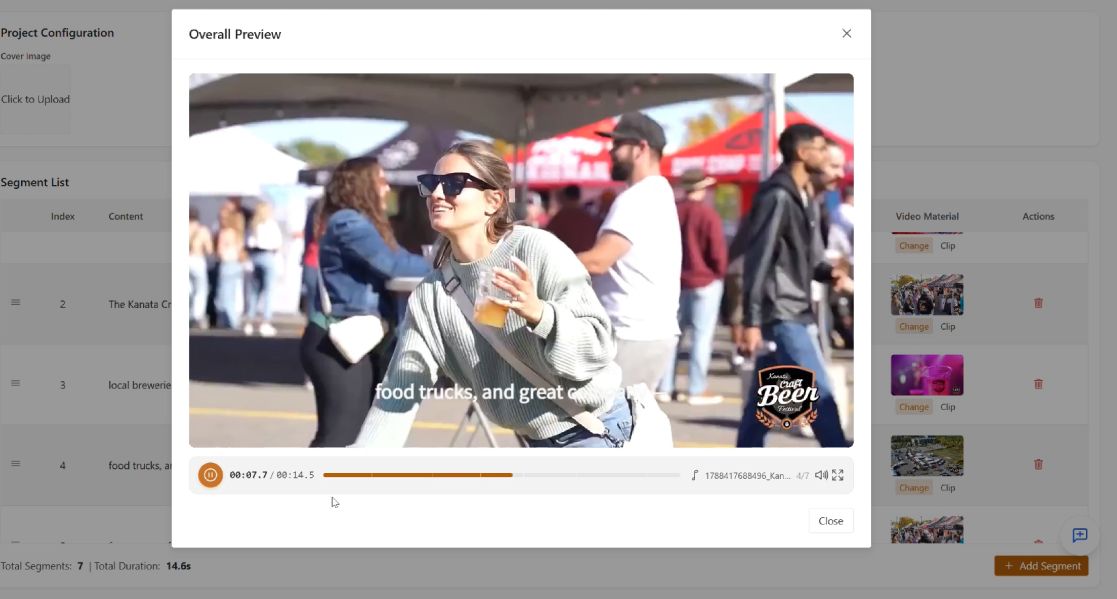
Familiar problems that SnipPanda solves
Editing each video takes hours
Cutting footage on a timeline, one video at a time, is slow and repetitive. SnipPanda turns hours of editing into minutes.
Templates make every video look the same
Template remix tools mostly shuffle clips. SnipPanda reads your script and matches each line to the footage that actually fits it.
Good footage sits unused
Valuable footage stays buried in folders. SnipPanda tags and slices it so it can be found and reused across many videos.
How is a video made?
01 · Material library
02 · Scripts
03 · Matching
04 · Assembly
Built to produce videos at scale
Smart library
AI tags and slices your raw footage, so every clip can be found by what is in it.
Smart assembly
Matches each part of your script to the best footage by meaning, not by template.
No repeated clips
Once a clip is used, the AI prefers the next-best match. Repetition only happens when your library is genuinely too small.
Voiceover and subtitles included
AI voiceover and captions are generated automatically and aligned to the timeline.
From 1 to 1,000 videos, the same workflow
Upload your materials and submit a batch of scripts. SnipPanda can produce up to 1,000 videos from a single library and script batch in one run, working around the clock.
Examples of videos you can produce
Social media marketing
Produce many short videos from one footage library for different channels and campaigns.
Product promotion
Turn product footage and photos into promotional videos, one script per product.
Corporate communications
Create company introductions, updates and event recaps from your own footage.
Recruitment and events
Make career-fair and event promotion videos from existing materials.
How is it different from manual editing and template tools?
Manual editing and template tools
Manual editing means cutting each video on a timeline by hand. Template remix tools mostly shuffle clips into fixed layouts, without understanding what the script says.
SnipPanda
Reads your script, matches each segment to the most relevant footage in your own library, avoids repeats, and adds voiceover and subtitles automatically.
SnipPanda is part of the Power Panda product suite
PandaZen OS
The core platform behind the Power Panda products.
Digital Worker
Software robots that operate ERP, CRM, web and mobile apps.
PandaWork
Build digital employees from your own knowledge, skills and processes.
KongMing
People learn AI, and AI learns from the people.
AI Box
An on-premise appliance with 10 pre-installed digital employees.
Technical information
- Materials are tagged with content descriptions by AI, and long videos are sliced into scenes.
- Scripts are split by meaning into segments, each under 5 seconds of voiceover.
- Segments are matched to clips using tags and descriptions. Once a clip is used, its match weight drops, so the second-best match is preferred next time.
- AI voiceover and captions are generated and aligned to the timeline.
How do you get started?
01 · Book a consultation
We schedule a time that suits you.
02 · Share your footage & scripts
Together we look at your materials and the kind of videos you want to make.
03 · Proposal and trial
You receive a proposal that fits your goals, then run a trial on your own footage.
Frequently asked questions
SnipPanda is an AI video creation workstation. You can describe the video you want, or upload your own footage and submit scripts, and AI creates the videos for you, in bulk if you need it.
Yes. You can describe the video you want and AI will create it. You can also upload your own footage and submit scripts, and SnipPanda will assemble finished videos from your materials.
No. You upload your materials and submit scripts. There is no timeline editing.
A library of your own footage (plus images or audio if you like) and your scripts. AI tags and slices the footage, and splits the scripts into segments automatically.
From a single video up to a large batch. SnipPanda can produce up to 1,000 videos in one run from a single material library and script batch.
Within one video, once a clip is used the AI prefers the next-best match. Repetition only happens when your library is genuinely too small, so a larger library gives more variety.
Yes. AI voiceover and captions are generated automatically and aligned to the timeline.
Yes. SnipPanda is built around your own private materials, which you upload to your library.