Introduction to OfficeCLI Tool
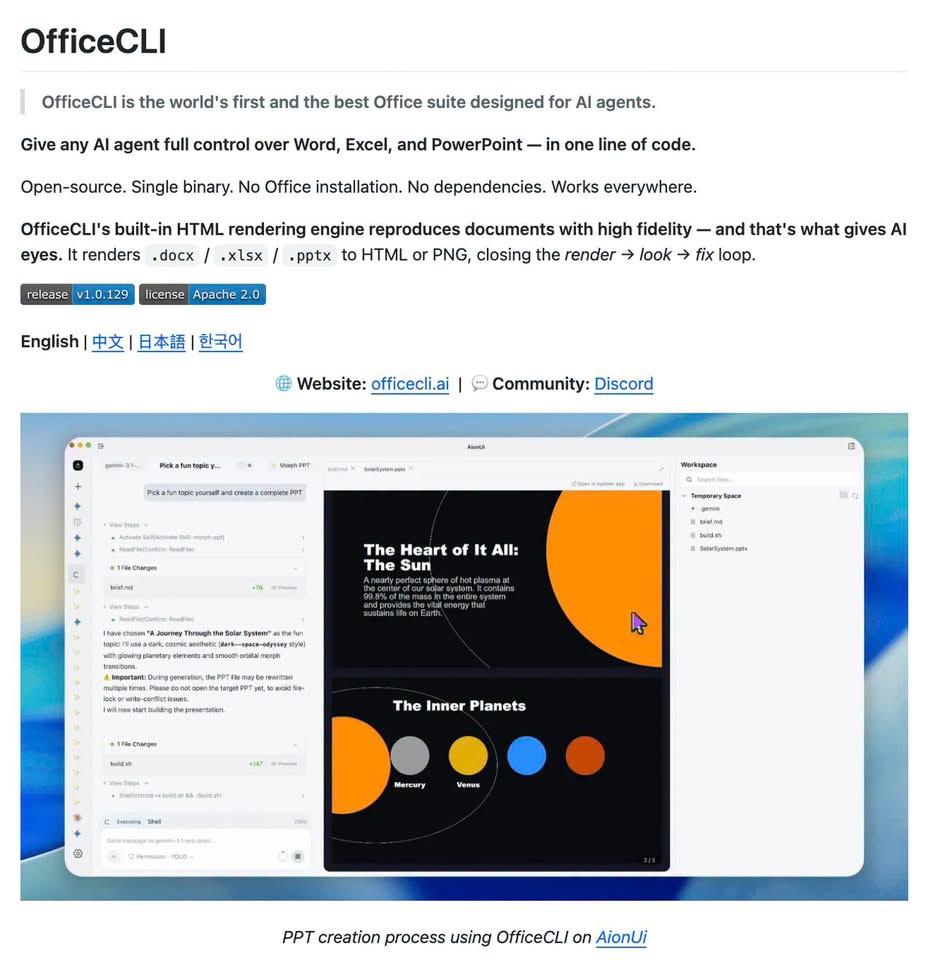
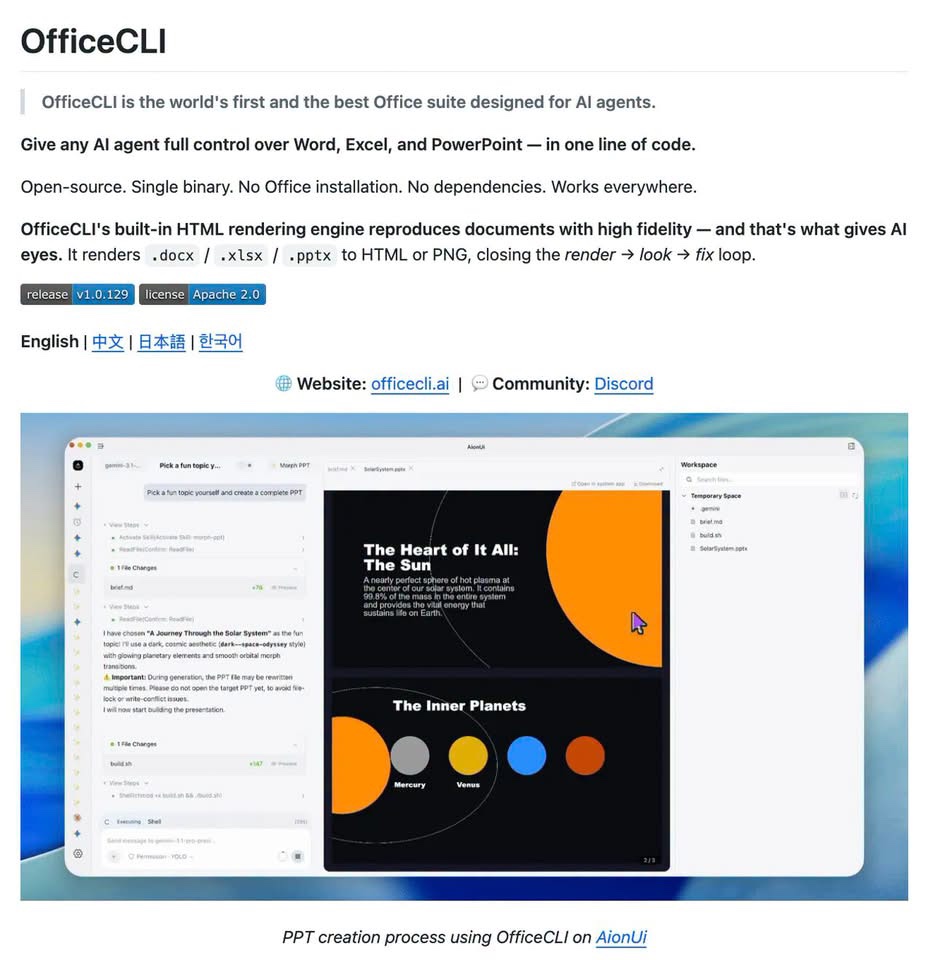
The OfficeCLI tool is an innovative, open-source project designed to empower AI agents with the capability to create, read, and edit Microsoft Office files, including Word, Excel, and PowerPoint. This tool is particularly noteworthy for its ability to render documents into HTML or images, allowing AI agents to inspect documents for errors such as chữ overflow, content overlap, or illogical layouts before presenting them to users.
Key Features of OfficeCLI Tool
The OfficeCLI tool boasts an impressive array of features that make it a versatile and powerful tool for AI-driven document management. Some of its key features include:
- Support for over 350 Excel functions and Pivot Tables, enabling complex data analysis and manipulation.
- The ability to generate reports from predefined templates, streamlining the reporting process.
- Compatibility with Docker, CI, and headless servers, making it adaptable to various deployment environments.
- Integration with Claude Code, Cursor, and VS Code via MCP, facilitating a seamless development experience.
- Operation via a single executable file, eliminating the need for a full Microsoft Office installation.
Practical Applications of OfficeCLI Tool
The OfficeCLI tool has numerous practical applications, particularly in scenarios where automation and AI-driven document processing are crucial. For instance:
- Automated Report Generation: With its ability to create reports from templates and support for a wide range of Excel functions, the OfficeCLI tool can automate the generation of complex reports, saving time and reducing the potential for human error.
- Document Inspection and Correction: By rendering documents into HTML or images, the OfficeCLI tool enables AI agents to check for and correct document errors, ensuring that the final output is of high quality and free from formatting issues.
Benefits and Tradeoffs
The use of the OfficeCLI tool comes with several benefits, including enhanced automation capabilities, improved document quality, and reduced dependency on manual intervention. However, it also presents some tradeoffs, such as the need for significant development and integration efforts to fully leverage its capabilities. Additionally, the reliance on AI for document inspection and correction may introduce new risks, such as the potential for AI-driven errors if the training data is flawed.
How OfficeCLI Tool Works
OfficeCLI Tool becomes clearer when readers can connect the high-level idea to the underlying workflow. A strong explanation should show the path from input data to useful output, including how information is represented, processed, and evaluated.
For technical readers, the most useful details are the steps that influence quality: data preparation, model architecture, training signals, inference behavior, and feedback loops. Explaining those steps gives the article more depth without forcing beginners into unnecessary jargon.
Key Components to Understand
Most modern AI systems combine several layers: data sources, model architecture, training infrastructure, evaluation methods, and deployment controls. Each layer affects accuracy, latency, cost, and reliability in production.
Readers should also understand the role of prompts, context windows, retrieval systems, monitoring, and human review. These components often decide whether a system is merely impressive in a demo or dependable enough for real workflows.
Limitations and Risks
No technical concept should be presented as magic. The article should explain where the approach can fail, including inaccurate outputs, outdated context, biased data, privacy concerns, unclear evaluation, and operational cost.
These limitations do not make the technology unusable, but they do shape how teams should apply it. Good implementation usually includes validation, logging, security review, and a plan for human oversight when decisions matter.
Practical Takeaways
- Start with the core concept before moving into architecture or implementation.
- Connect each technical detail to a practical use case or decision.
- Call out limitations clearly so readers know how to apply the idea responsibly.
How to Use This Resource Effectively
A useful article about OfficeCLI Tool should help readers connect the simple explanation, the technical mechanism, and the practical decision they may need to make next. That means the content should not stop at definitions; it should show why the topic matters, where it fits, and how readers can evaluate it responsibly.
For beginners, the most important value is a clear mental model. They should understand the problem the technology solves, the kind of input it receives, the kind of output it produces, and the reason results can vary from one situation to another.
For technical readers, the article should point toward architecture, data quality, evaluation, and deployment tradeoffs. These details explain why two systems with similar demos can behave very differently in production, especially when the data is specialized or the workflow has strict quality requirements.
For business readers, the practical question is not whether the technology is impressive. The better question is whether it can reduce friction, improve decision quality, support a team process, or create a better user experience without adding unacceptable operational risk.
The strongest next step is to compare a short accessible resource with a deeper technical resource, then write down what each one clarifies. That approach gives readers both confidence and caution, which is usually the Phải balance for fast-moving technology topics.
Readers should also look for examples that show both successful and difficult cases. A balanced example set makes the article more useful because it reveals the boundary between a clean demonstration and a real operating environment.
Finally, every recommendation should connect back to a practical decision. If the article cannot help someone choose what to learn, test, adopt, avoid, or monitor next, it probably needs more context before publication.
Readers should use the linked source to compare the summary against the original implementation details, especially when architecture, tooling, or deployment steps influence the final decision.
- Define the core concept in plain language.
- Identify the main technical components.
- Map the idea to real workflows.
- Check limitations before recommending adoption.
- Use references to verify important claims.
References
These external sources were used to verify the article and provide deeper context.
Source Images
Conclusion
The OfficeCLI tool represents a significant advancement in the field of AI-driven document management, offering a powerful set of features that can automate and enhance the creation, editing, and inspection of Microsoft Office files. As organizations continue to seek ways to leverage AI and automation to improve efficiency and reduce costs, tools like OfficeCLI will play an increasingly important role. For more information, visit the @@N8NLINK0@@.